iOS · Android · The flagship
Enve Book Player

One app for audiobooks, ebooks, comics, and podcasts. Connect to a dozen different servers, or just point it at a folder. Free, private, and built for libraries that don't fit anywhere else.

Library grid
Now playing
EPUB reader
Get it on TestFlight See what's inside
A quick tour

This is what it looks like.

Real screenshots of a real library. The OLED-black theme is the default; everything follows the same warm-orange accent throughout.

Home, light theme

Home, in light

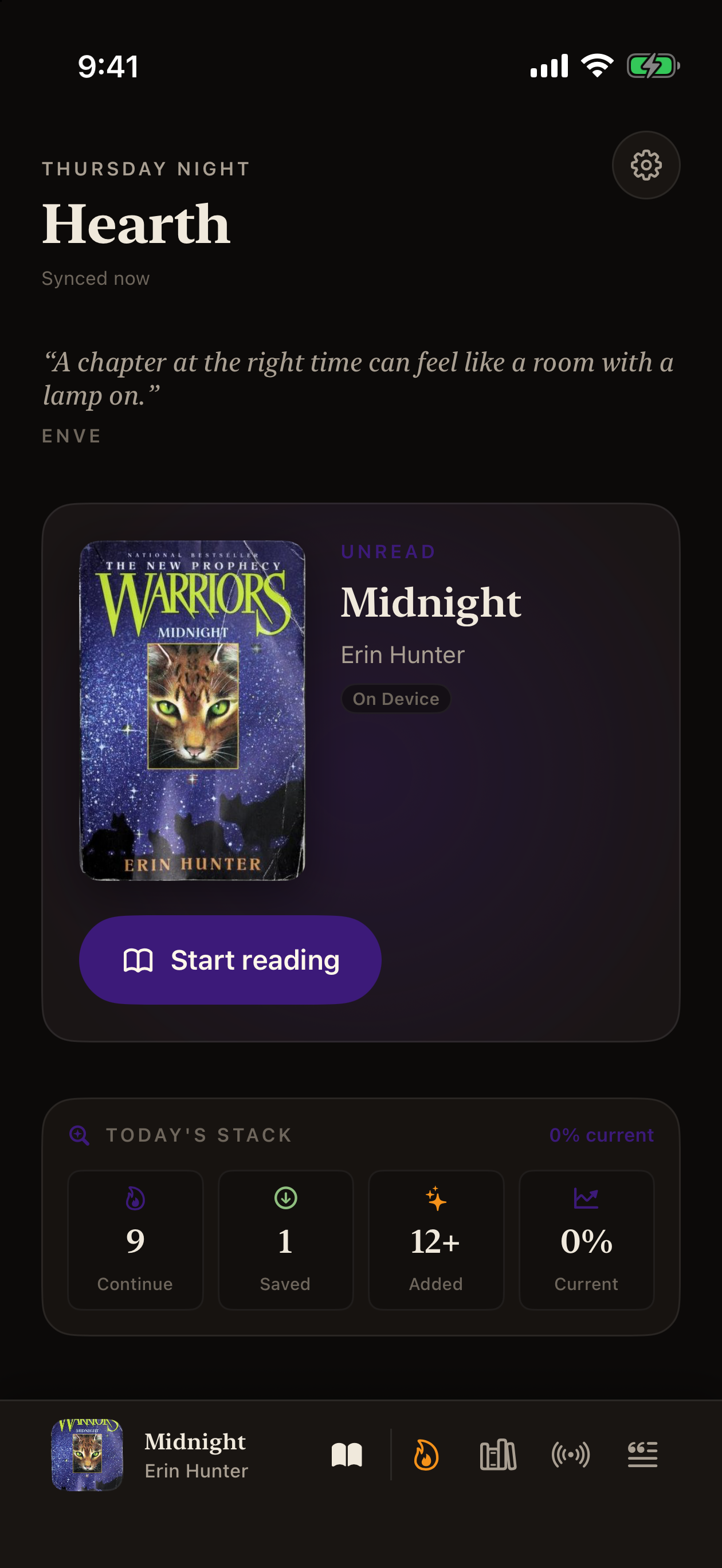
Continue Listening, Continue Reading, and your favorite quote up top. The home screen blends both ears and eyes.

Home, dark theme

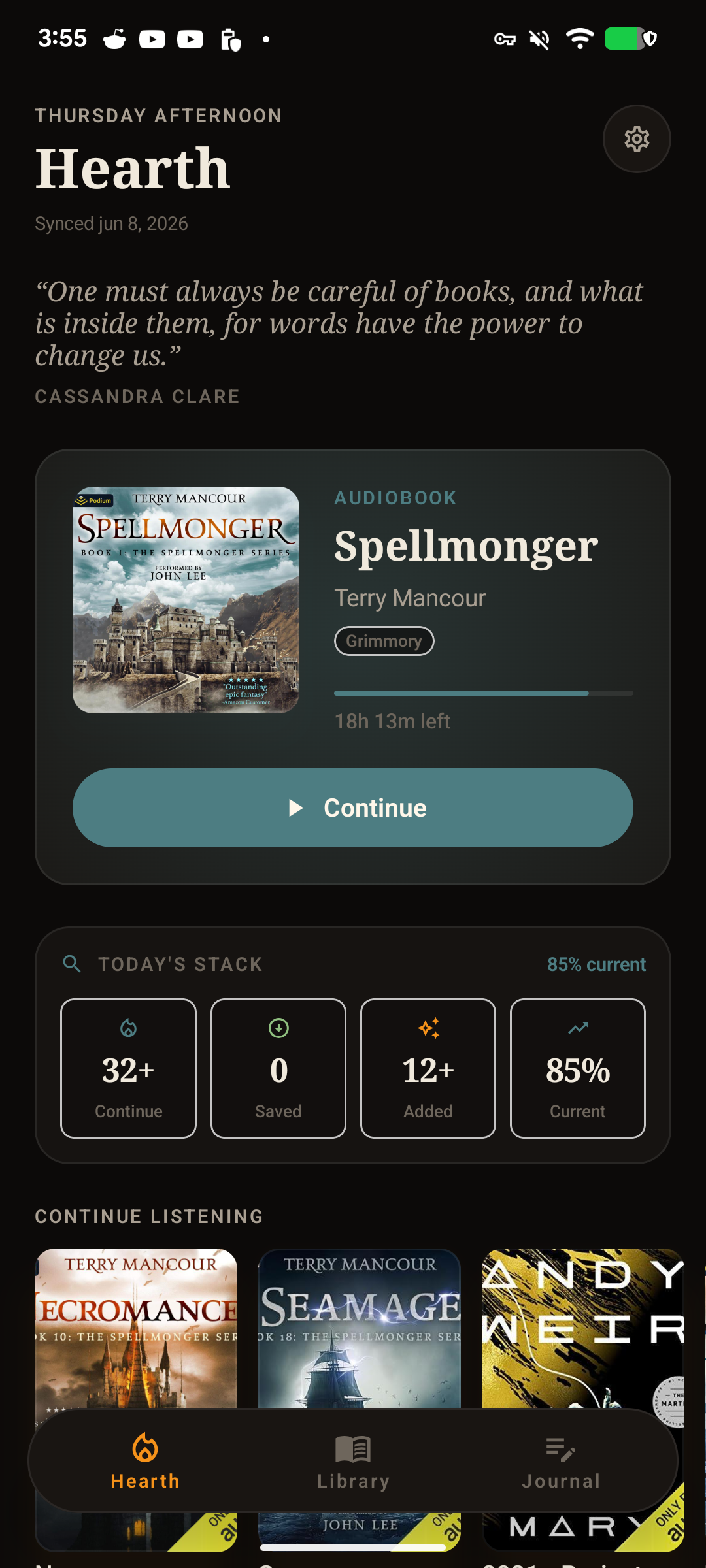
Home, in OLED dark

Same screen with the dark theme on. Real OLED black for batteries that mean it.

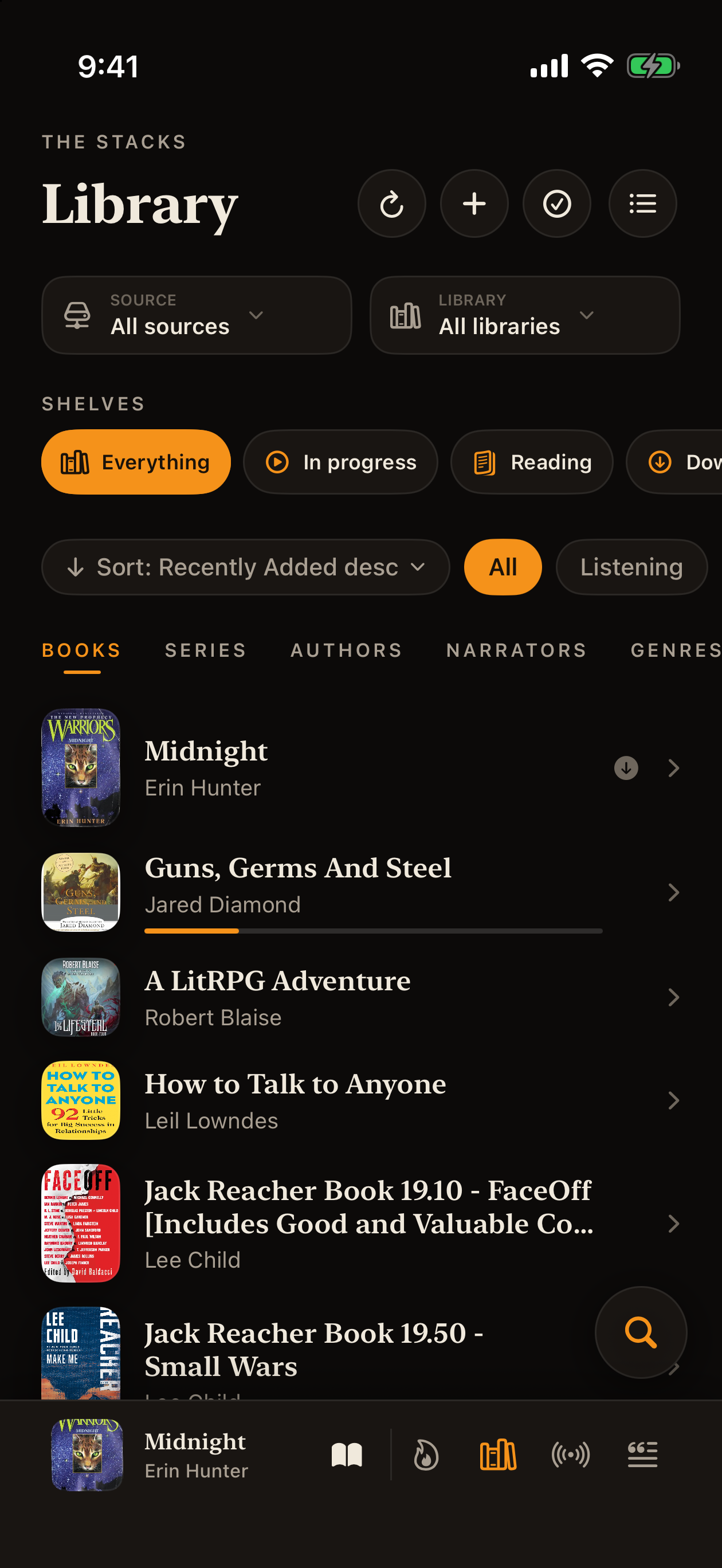
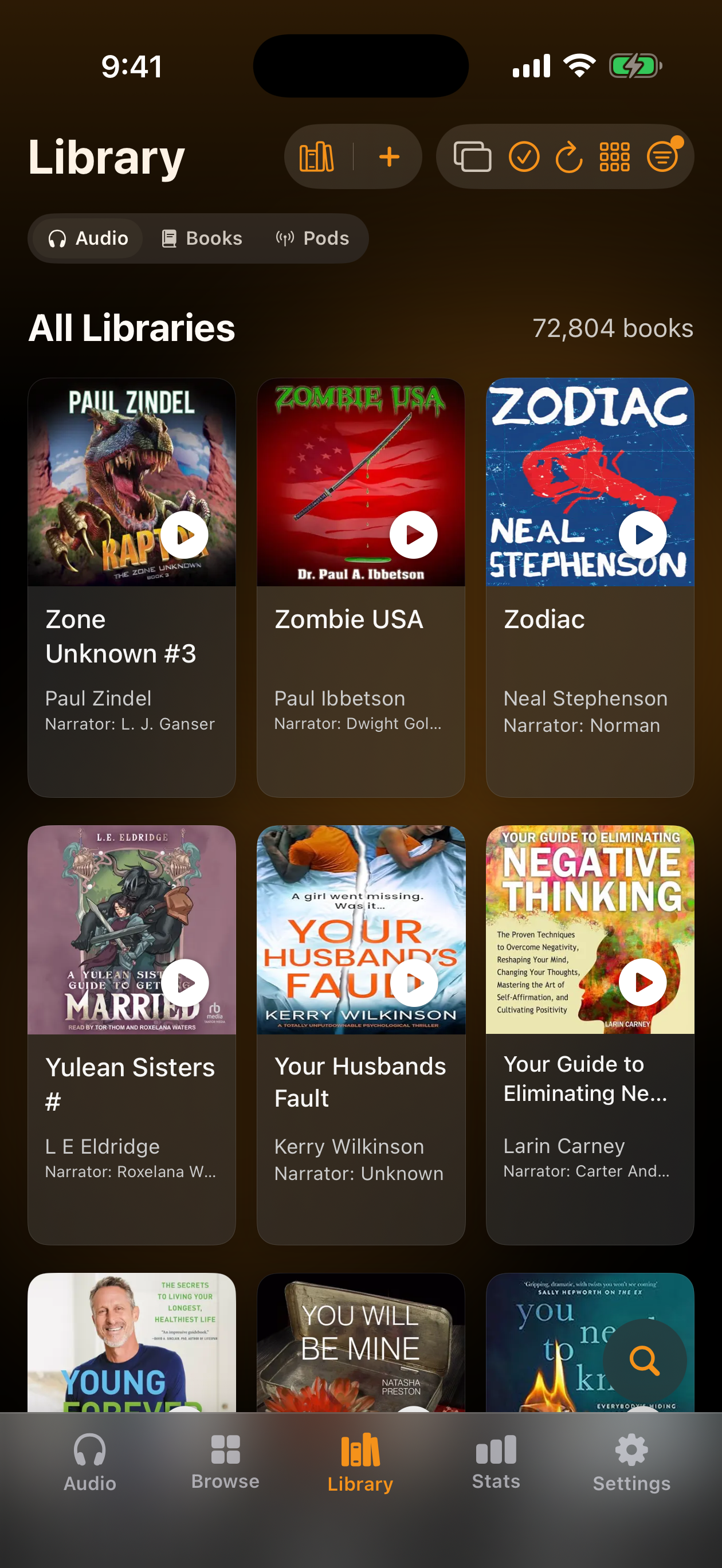
Library grid

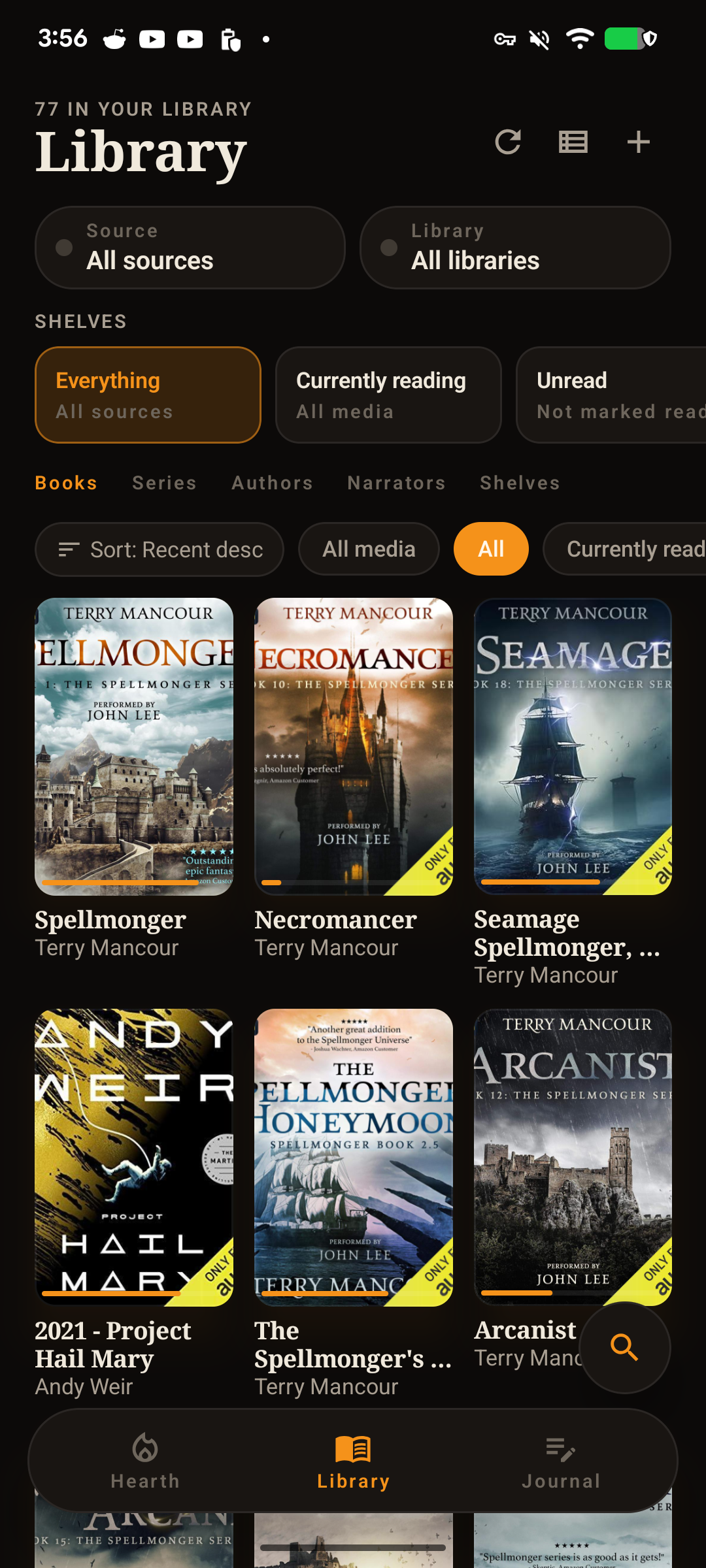
Library

Every audiobook and ebook in one grid, with download badges so you know what's offline.

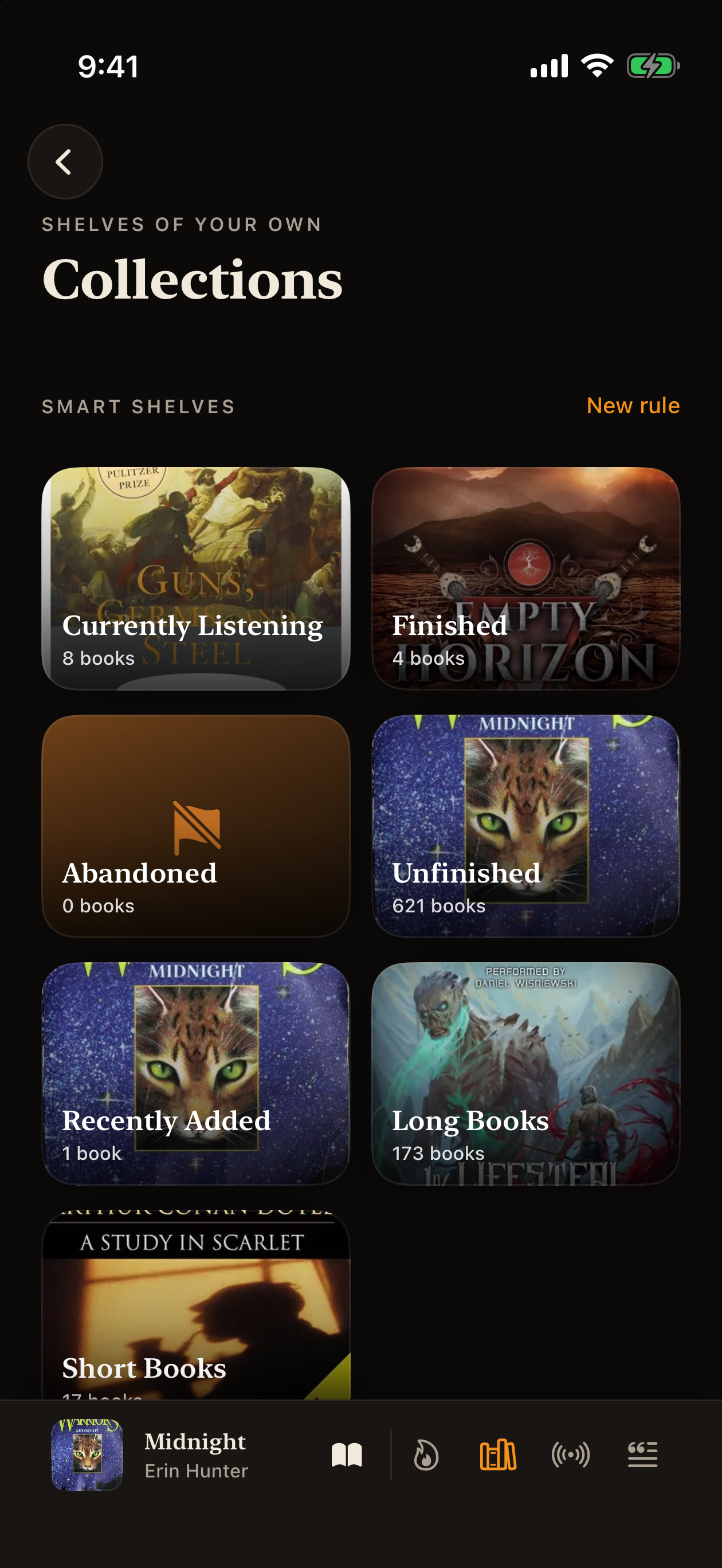
Smart collections

Smart collections

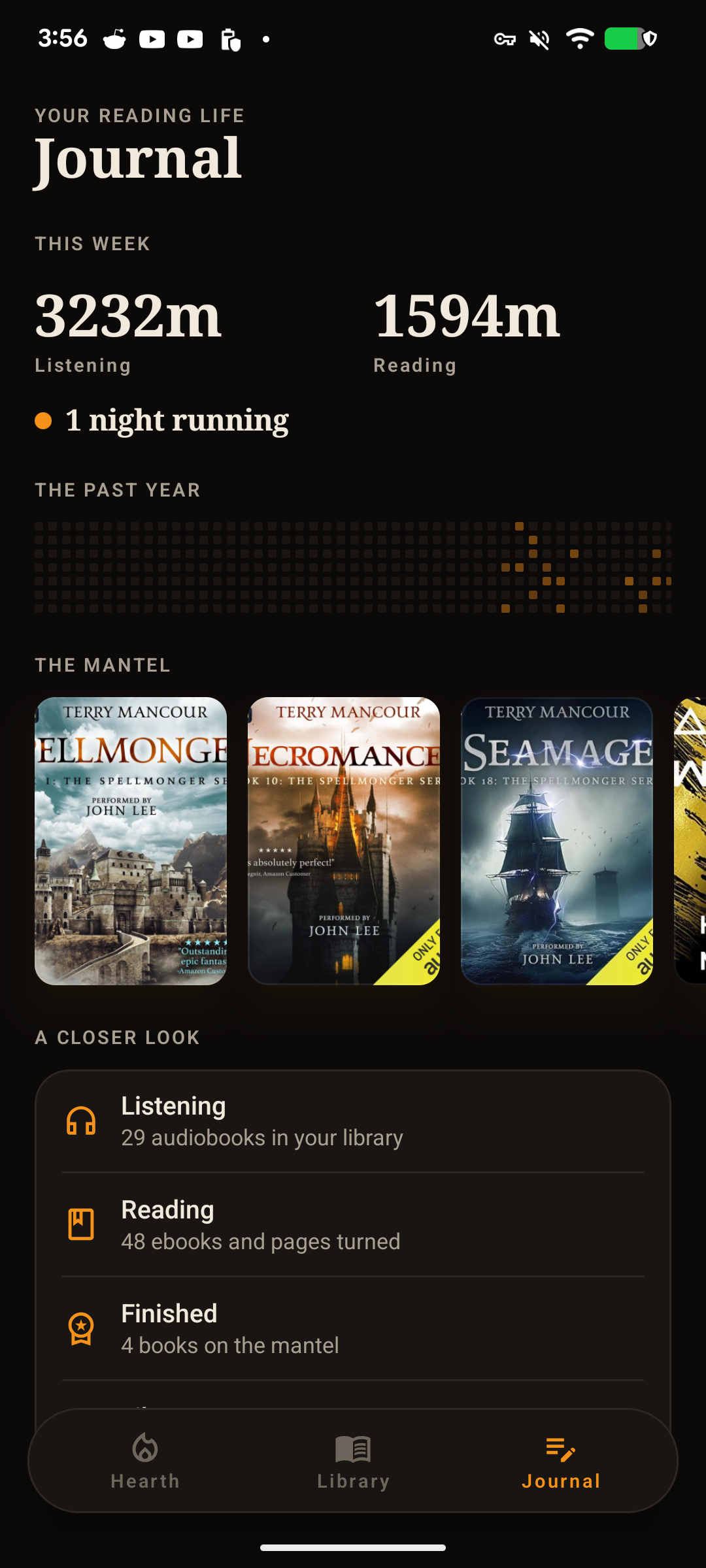
Currently Listening, Finished, Unfinished, Recently Added. Rules-based collections that update themselves.

Book detail page

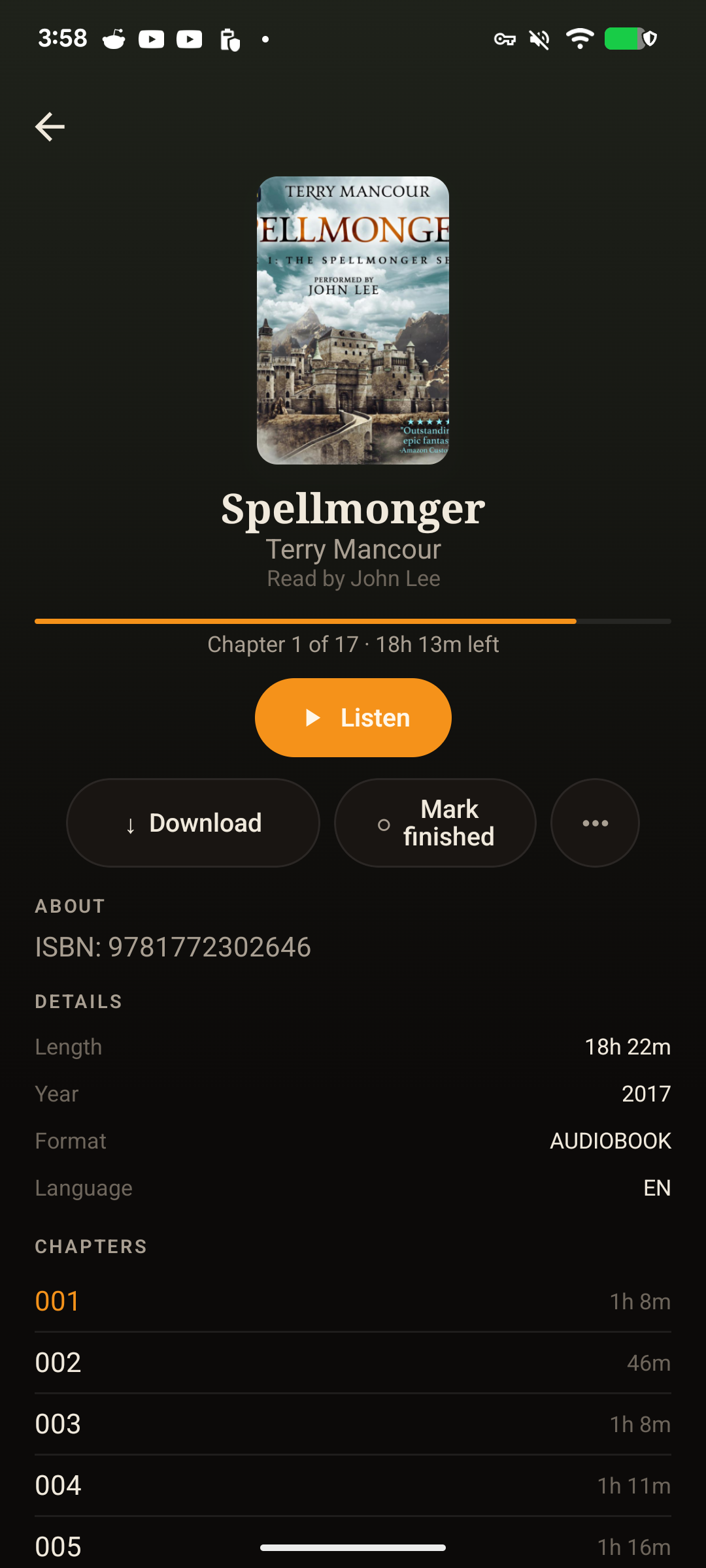
Book detail

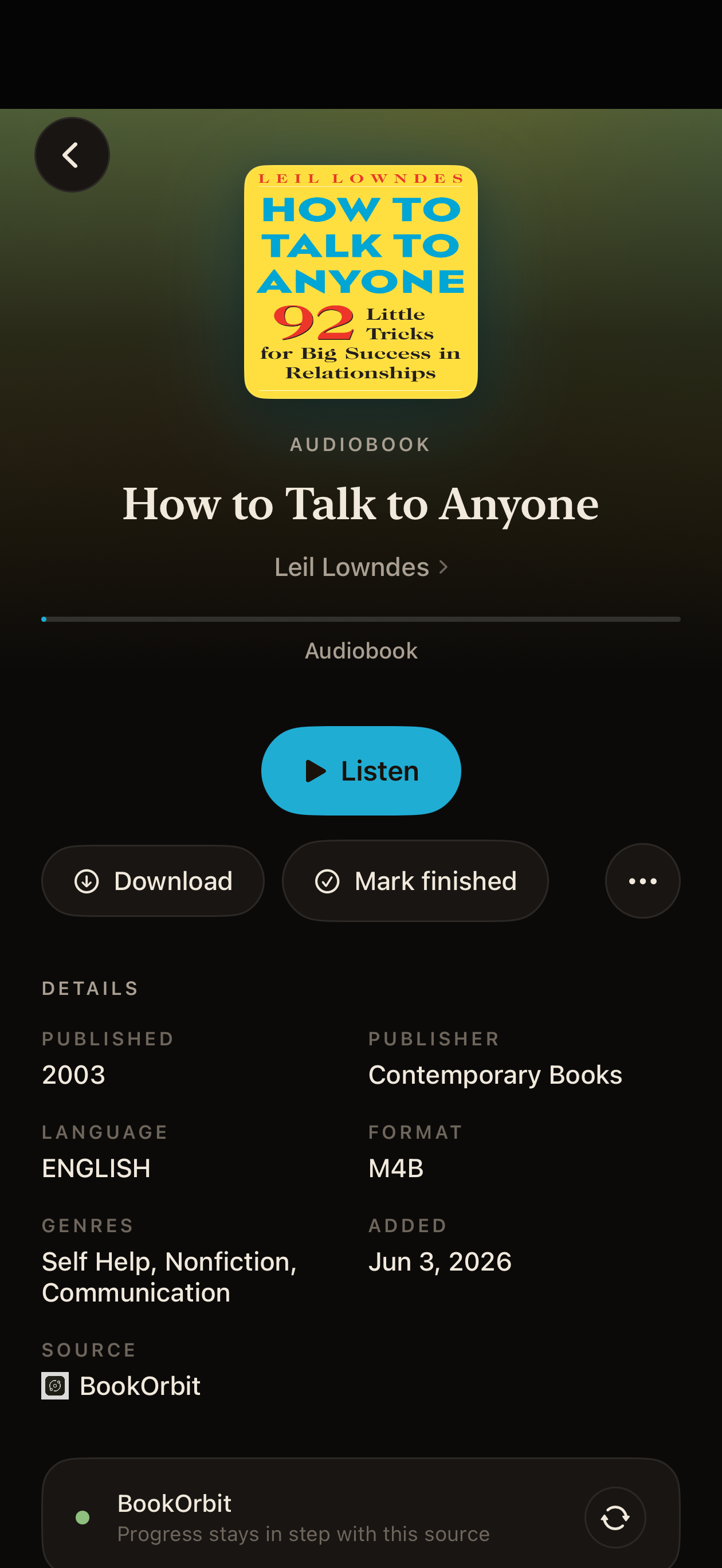
Big cover, series, sleep timer, downloads. Read Along stays in sync with whichever ear or eye is leading.

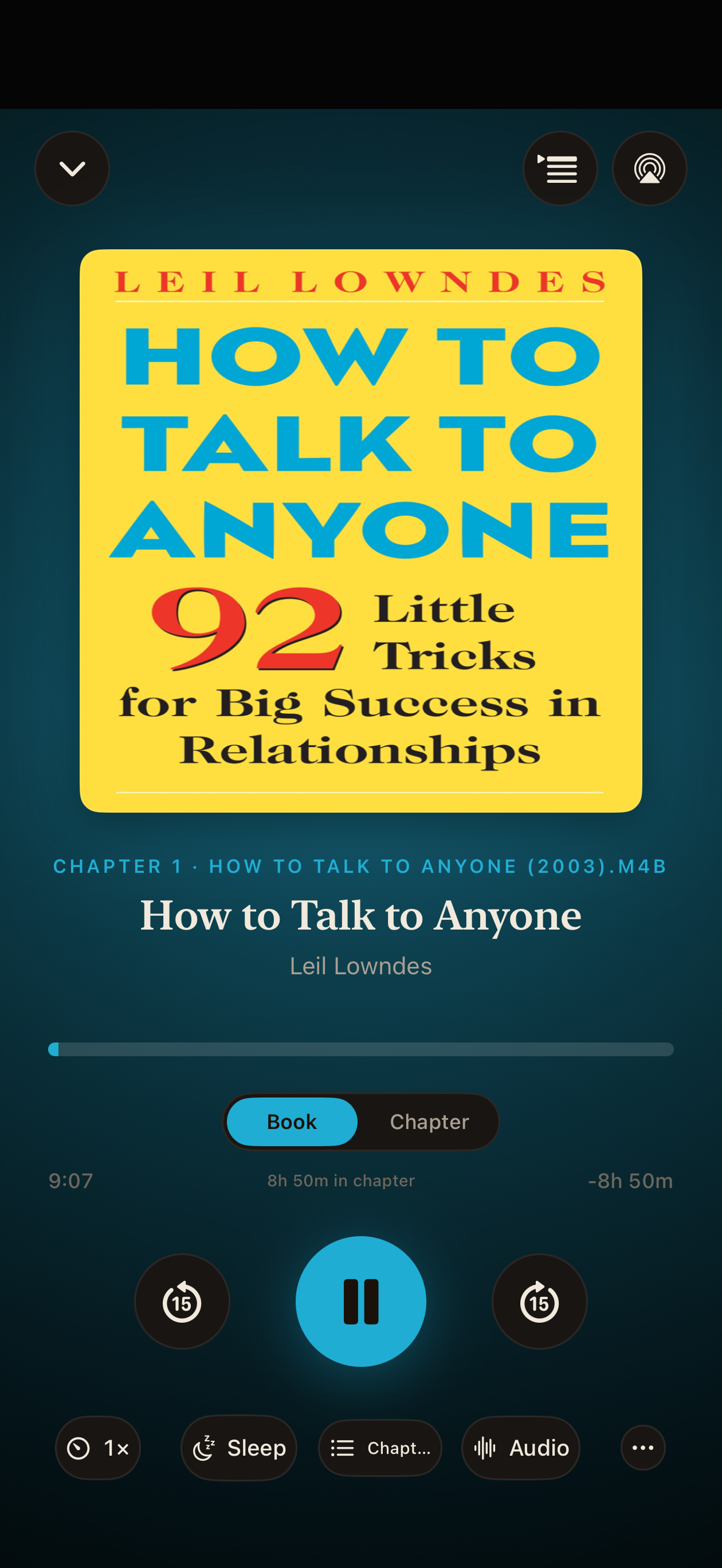
Now playing

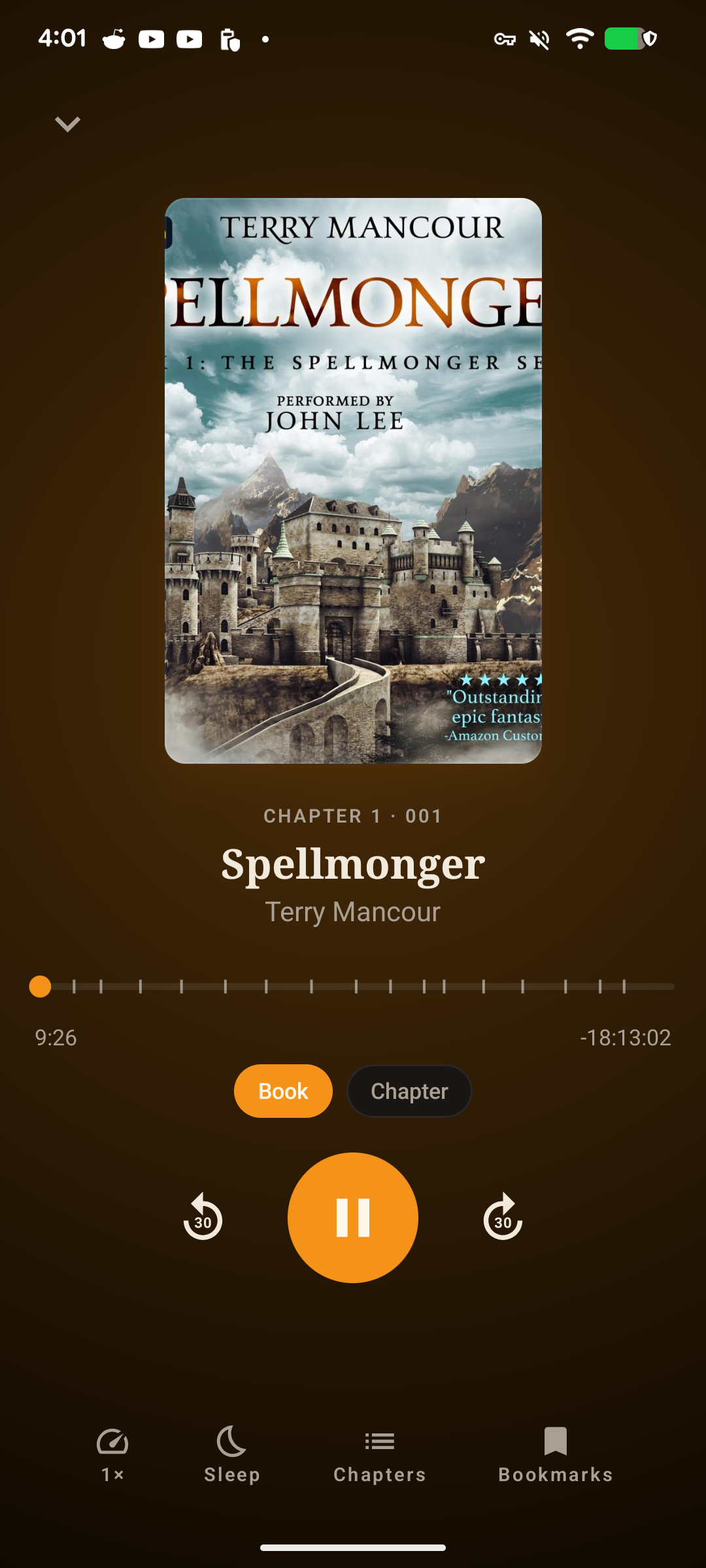
Now playing

Big cover, scrubber, chapter, and a dock with speed, sleep timer, chapters, and bookmarks. Everything one tap away.

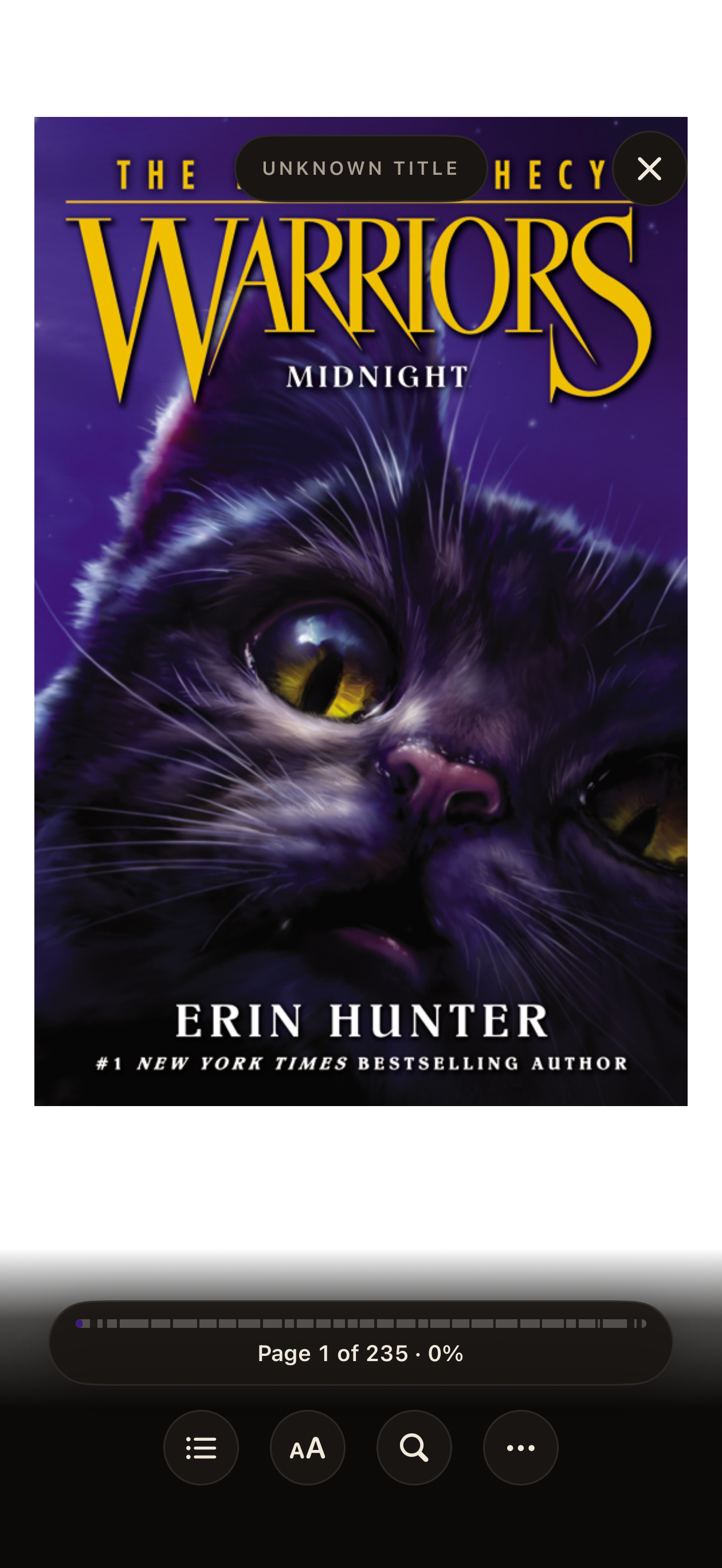
EPUB reader

The reader

A real EPUB reader, not a webview wrapper. Readium under the hood, fully customizable, supports LCP-encrypted titles.

Read along with audio

Read along, hands-free

Pair an EPUB with the narration and the page turns itself. Speed up the audio, slow it down, jump back, the text follows.

Reader menu

Right tools at hand

Contents, search, read-aloud, annotations, bookmarks, even read-together on Apple TV. One menu.

Annotations and highlights

Highlights and notes

Underline, highlight, annotate. Export the lot as Markdown when you're done. Goes straight into Obsidian.

Bookmark with note

Named bookmarks

Bookmarks carry a title and a note. Useful for the bits you'll want to come back to and can't remember the page for.

Vocabulary list

Vocabulary you actually keep

Tap-to-define saves the word, the definition, and the sentence around it. Per book, with study counts at the top.

Vocabulary flashcards

Study, or send to Anki

Built-in flashcards with Again / Got it / Mastered. Or export the whole set to Anki when you're ready for the real deal.

Add a library source

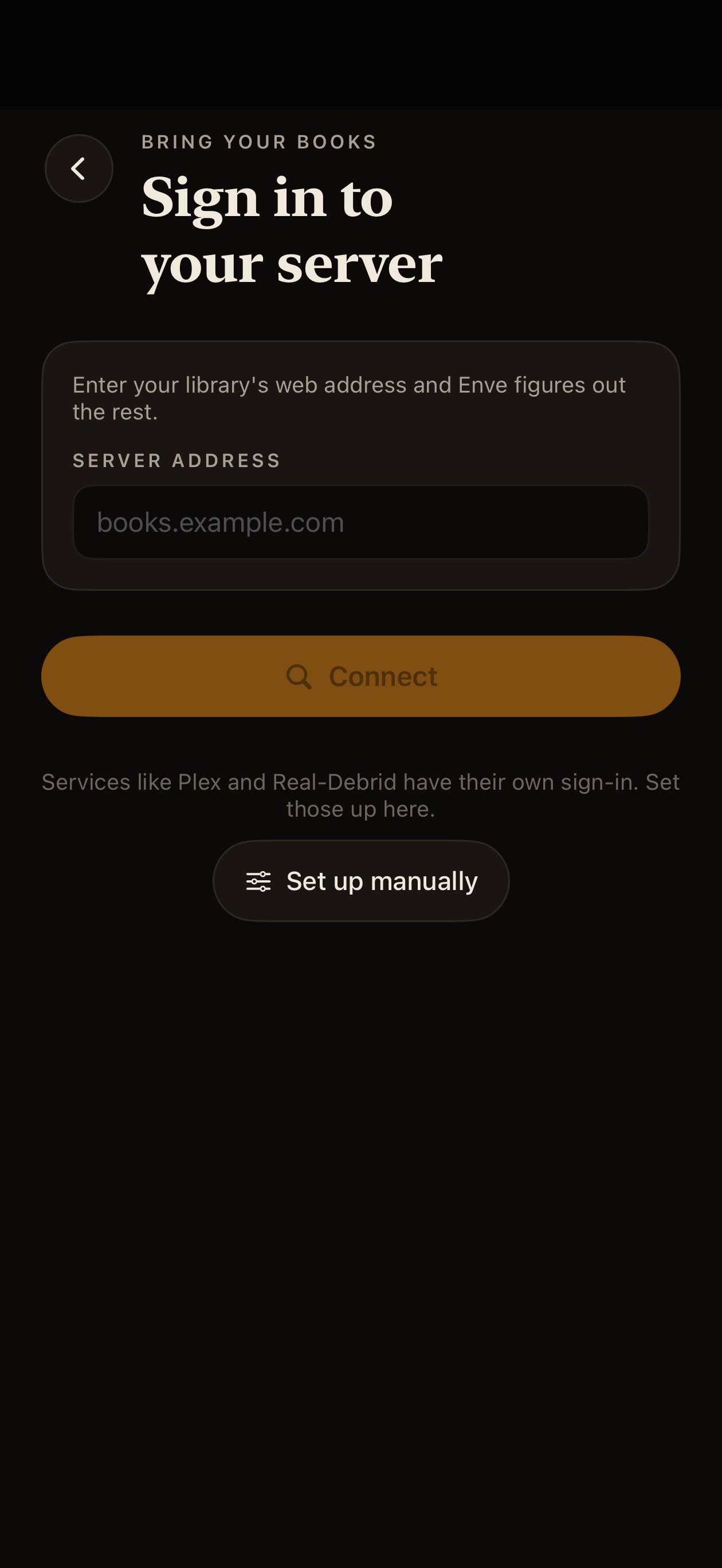
Add a source in two taps

Files, iCloud, Audiobookshelf, Plex, Jellyfin, Emby, Komga, Kavita, Grimmory, Storyteller, and the rest. Pick one, sign in, you're done.

Bring whatever you have.

A dozen-plus backends and they all sit side by side. You can mix Audiobookshelf for audio with Komga for comics with a local folder for the rest. It's all one library.

See the full list →

Backends

Bring whatever you have.

Mix and match as many as you want. Filter by source, or browse everything as one library.

Audiobook servers

  • Audiobookshelf. Full progress and bookmark sync.
  • Plex. Audiobook libraries, native streaming.
  • Storyteller. Text and audio alignment.
  • Real-Debrid. Cloud streaming.

Ebook and comic servers

  • Komga. Full OPDS and native API.
  • Kavita. Full library, series, collections.
  • Jellyfin and Emby. Book libraries.
  • Grimmory. Ebook, audiobook, and sync.
  • OPDS and WebDAV. Everything else.

Other

  • Podcasts. iTunes search and RSS.
  • Premiumize. Cloud files.
  • Local files. Folder import. No server required.
  • Hardcover. Metadata and reading goals.
Playback

Built for long listens.

CarPlay

Library browsing, search, chapters, downloaded books, full now-playing controls. First-class, not an afterthought.

Speed 0.75x to 2.5x

Saved per book. You won't lose your place when you switch titles.

Sleep timer with fade

Fade-out, snooze, and end-of-chapter modes. It won't yank you out of the scene.

10-band equalizer

Presets plus a full manual EQ for narration tuning.

AirPlay 2, Bluetooth, lock screen

Everything Apple gives you, working the way it should.

Smart pause

Pauses on headphone disconnect and system interruptions. Resumes when you're back.

Reader

A real ebook reader, not a wrapper.

EPUB, PDF, comics

Powered by Readium, including LCP-encrypted EPUBs. CBZ and CBR for comics, with auto-detected reading direction and scroll, LTR, or RTL layouts. Kindle KF8 and AZW3 get converted on import. (DRM Kindle and Adobe ADEPT are not supported.)

StoryAlign iOS 26+

Syncs your audiobook narration with the EPUB text so words highlight as they're spoken. Uses real narration audio, not synthetic TTS. Works with Storyteller-aligned books out of the box.

Built-in TTS

Per-book voices, with all your downloaded system voices. Works for any ebook, with or without alignment data.

Highlights, bookmarks, notes

All exportable as Markdown for Obsidian. Audiobook notes ride along in the same export.

Vocabulary and Anki

Tap-to-define saves the word and the surrounding sentence. Study with built-in flashcards, or export to Anki when you're ready.

Fully customizable

Fonts, themes, spacing, layout, page-turn behavior. Tune the reader to your eyes.

Sync

Three layers. Zero silent data loss.

iCloud (CloudKit)

Progress, bookmarks, and annotations sync across every Apple device on your account. Nothing leaves your iCloud.

Server sync

Native sync with Audiobookshelf, Storyteller, Grimmory, and more. Server progress stays authoritative when you want it to.

KOReader, KOSync, Hardcover

KOReader-compatible sync via the Grimmory bridge for both audiobooks and ebooks. Hardcover for metadata, reading goals, and progress.

Conflict resolution

When two sources disagree about your progress, Enve asks you which one to trust. It never silently overwrites. The Sync Center in Settings shows what's happening in one place.

Library

Smart collections, stats, and goals.

Collections

Manual drag-and-drop collections, plus smart collections built from rules: author, narrator, genre, duration, progress, status. Combine them as deeply as you want.

Stats and goals

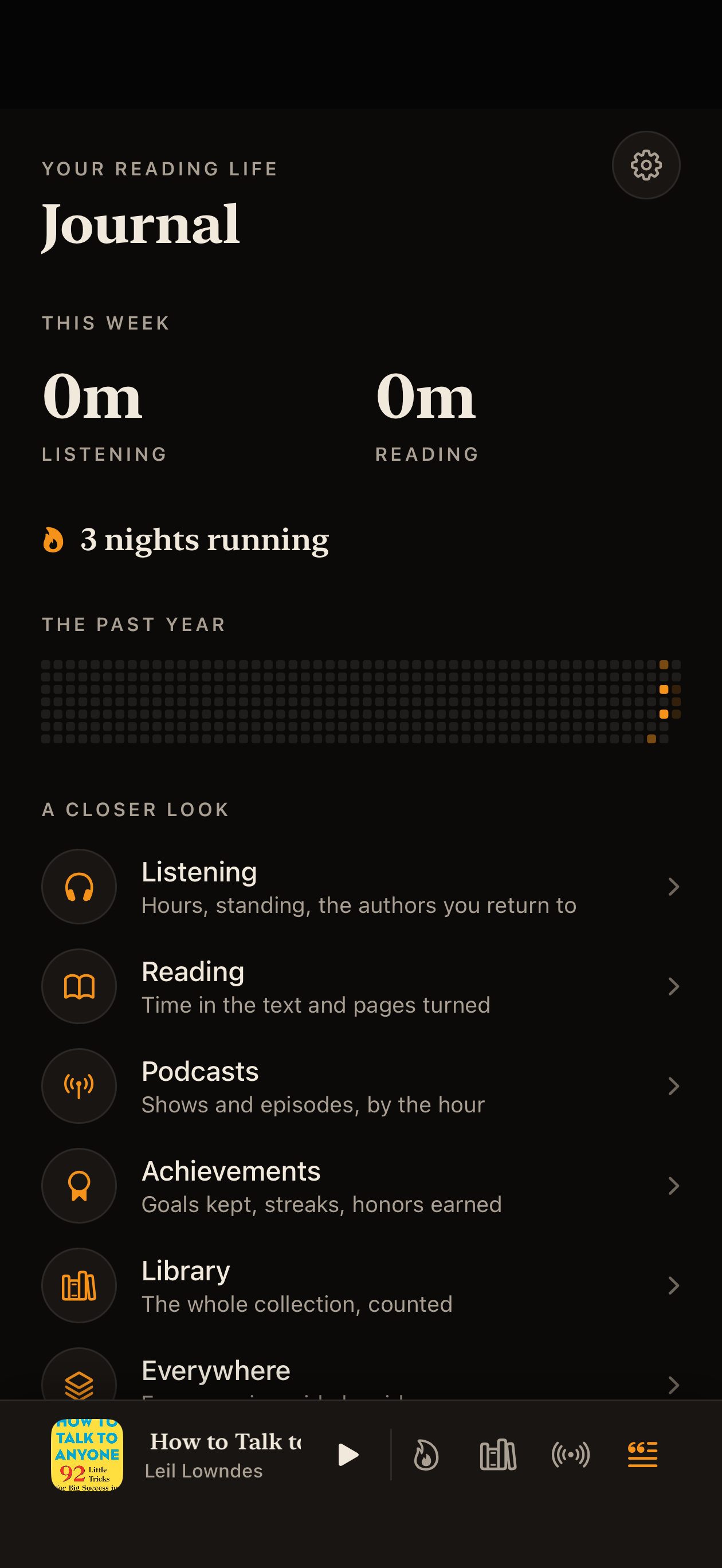
Weekly listening goals, streaks, per-book stats. Tracks reading and listening separately and together.

Series and dedup

Series view across every source you've connected. Built-in duplicate detection cleans up when two libraries overlap.

Scale

Yes, it handles your library.

Most book apps fall over at a few hundred titles. Enve is built for the libraries the rest of us actually have. Tested at 50,000 ebooks and 72,000 audiobooks on the same device.

72,804 audiobooks in one library

72,804 audiobooks

One library, one scroll. Parallel pagination, throttled sync, efficient batching. The library opens instantly after the first scan.

50,222 ebooks in one library

50,222 ebooks

Same story on the ebook side. Filter by format, source, status, anything. The grid stays snappy.

Just because it can, doesn't mean it should

Enve scales. Enve isn't a magic trick. A few thousand books is the sweet spot, ten thousand is fine, and tens of thousands works but the app will feel slower the bigger the library gets. The first scan takes minutes, browsing stays smooth, but things like search and filters take longer than they do on a smaller library. If you can scope your library to what you'll actually read, do.

iOS · TestFlight

Pick a track and join.

Three public TestFlight tracks. Start on Maybe Stable if you just want to read. Pick Beta for new features. Go Experimental 2am if you want to live a little.

Requires iOS 17 or later. StoryAlign needs iOS 26+. TestFlight is free.

Android · Open Testing

Get it on Google Play.

The Book Player is in open testing on Google Play. Same backends, same sync, same look as iOS. iOS is further ahead today; the Android release cadence is slower because of the Play review cycle, but the gap is closing.

Android library
Android home
Android book detail

What's in

Audiobookshelf, Storyteller, Grimmory, Komga, Kavita, Jellyfin, Emby, OPDS. Android Auto. KOReader Hub sync. Readium EPUB reader.

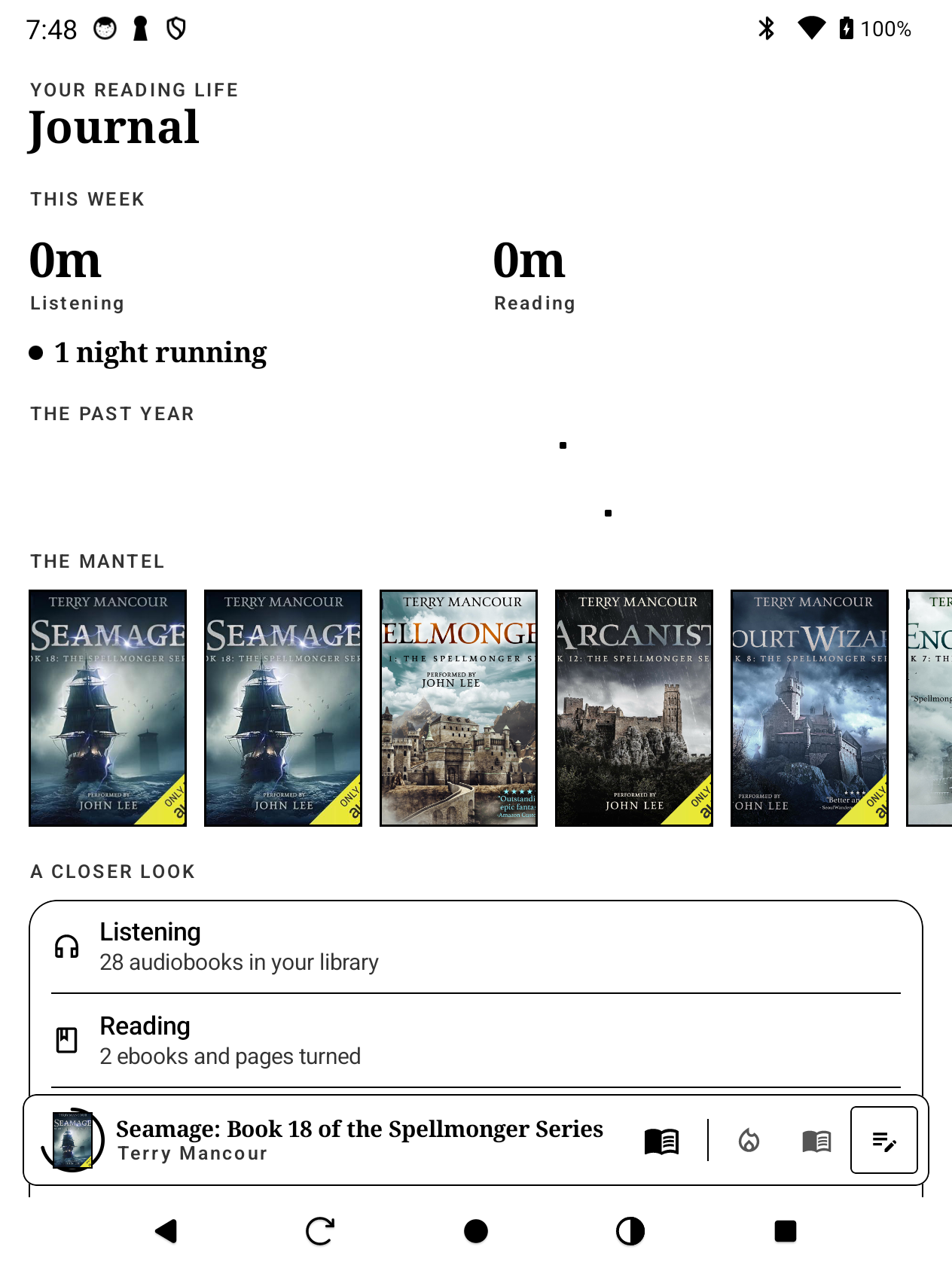
E-ink mode

Real e-ink display support. Tested on BigMe and other Android e-readers. High-contrast theme, no-animation reading mode, page-turn keys.

Heads-up

If you were on the previous closed-testing track, switch to open testing to keep getting updates.

Requires Android 8 or later.

Android tour

The same library, on your Android and e-ink device.

Same design language as iOS, ported natively in Kotlin + Compose. Same backends, same sync, same shortcuts.

Android browse view

Browse by series

Series, authors, narrators, collections. The mini-player follows you everywhere.

Android stats

Stats and goals

Page Turner achievements, XP, listening streaks. Same data, same model as iOS.

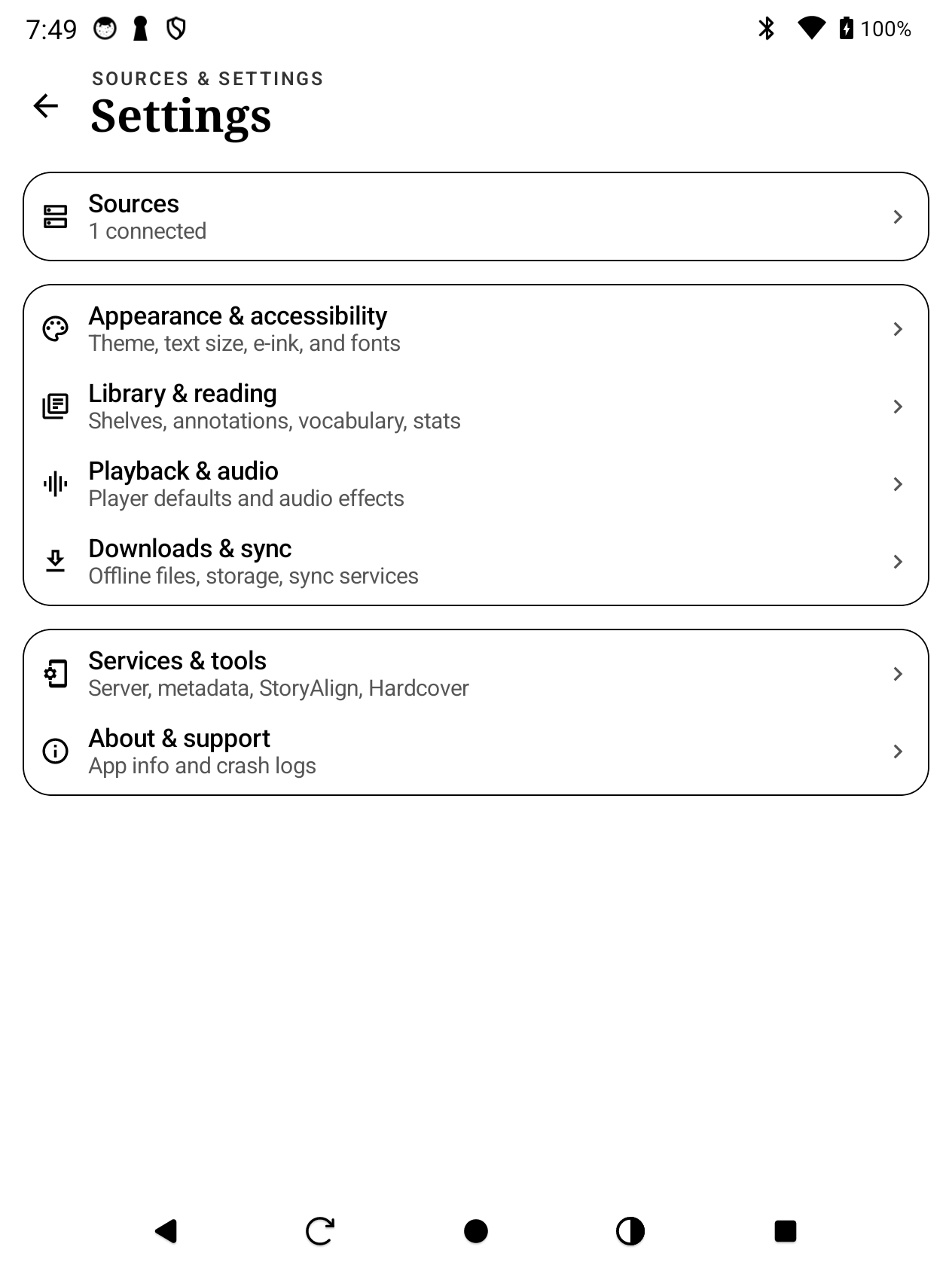
Android settings

Sources and library hub

Add servers, manage local libraries, scan health. Same Sources screen as iOS.

Built native, not a wrapper.

Kotlin with Jetpack Compose, Hilt, Media3, and Readium under the hood. Performance and battery match Android's best, not some cross-platform compromise.

Read the docs →

E-ink mode

Yes, it runs on your e-reader.

Tested on BigMe and other Android e-ink devices. High-contrast UI, minimal animation, and a layout that respects the device's refresh rate. The whole Enve interface, on grayscale paper.

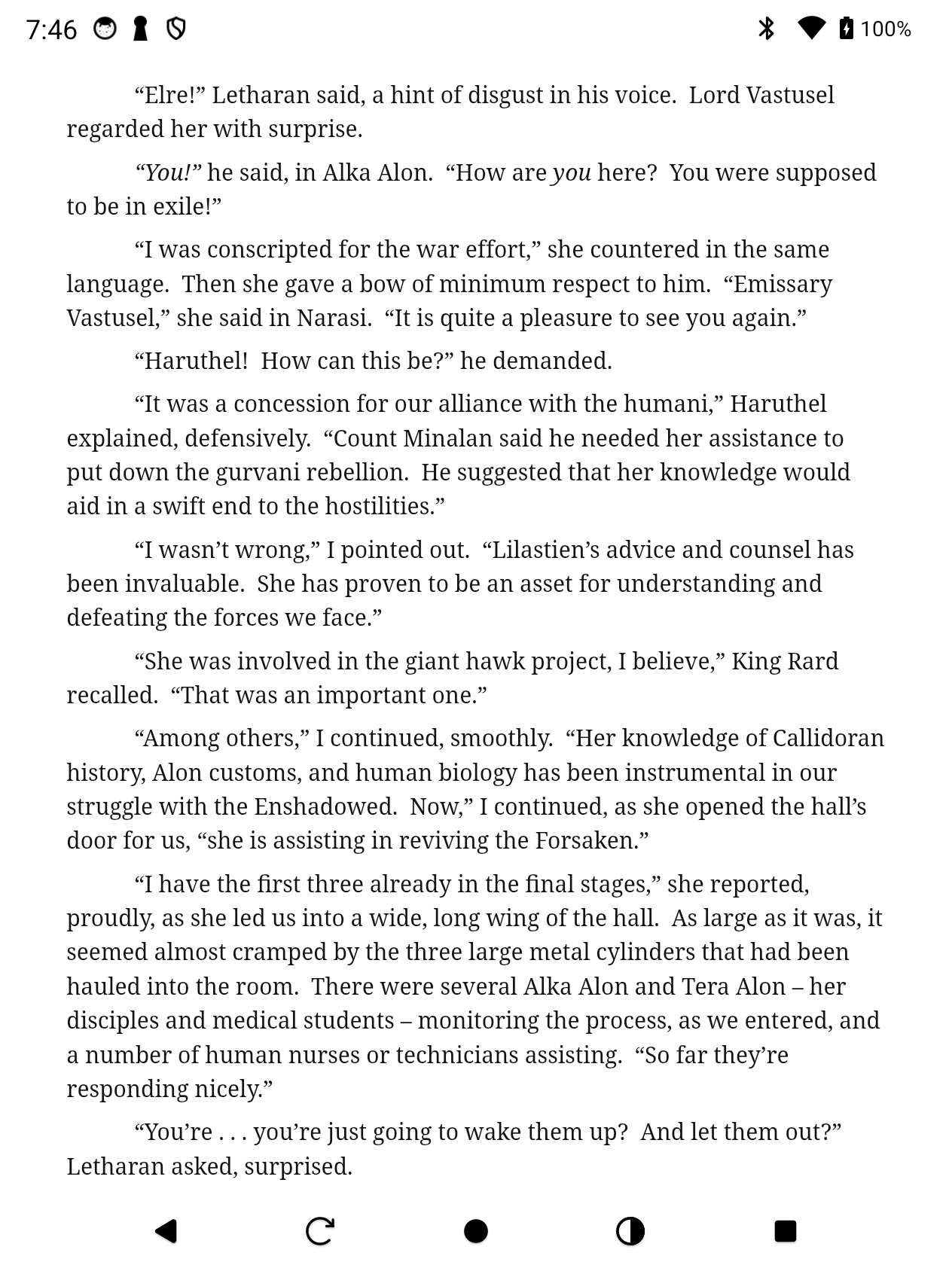
E-ink reader, chapter heading

The reader, on real paper

Chapter headings, drop caps, woodcut illustrations. EPUBs render with all their typography intact, just in grayscale.

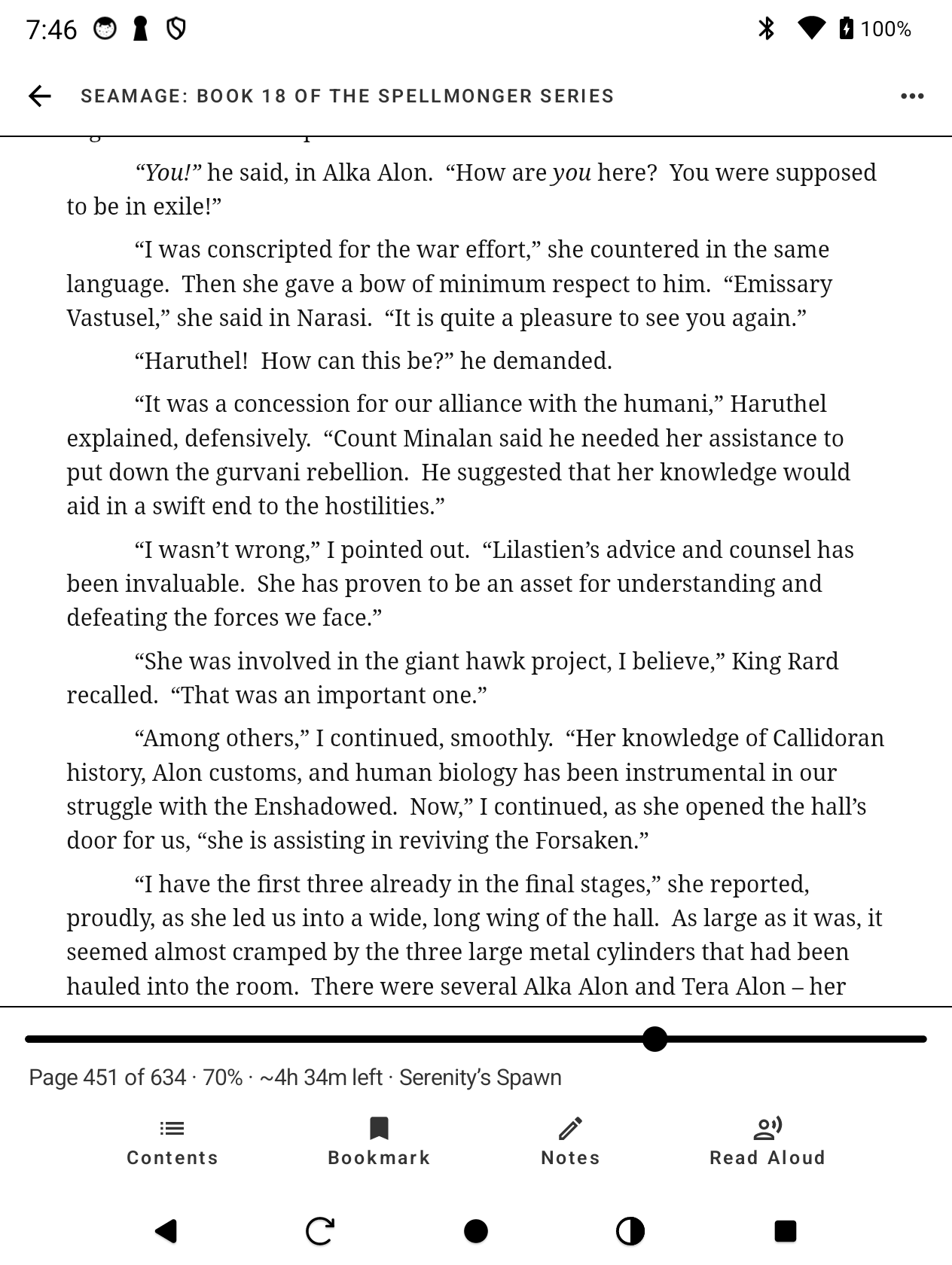
E-ink reader, controls visible

Controls when you need them

Tap to bring up search, table of contents, font sizing, and bookmarks. Tap again and they're gone. No glare, no distractions.

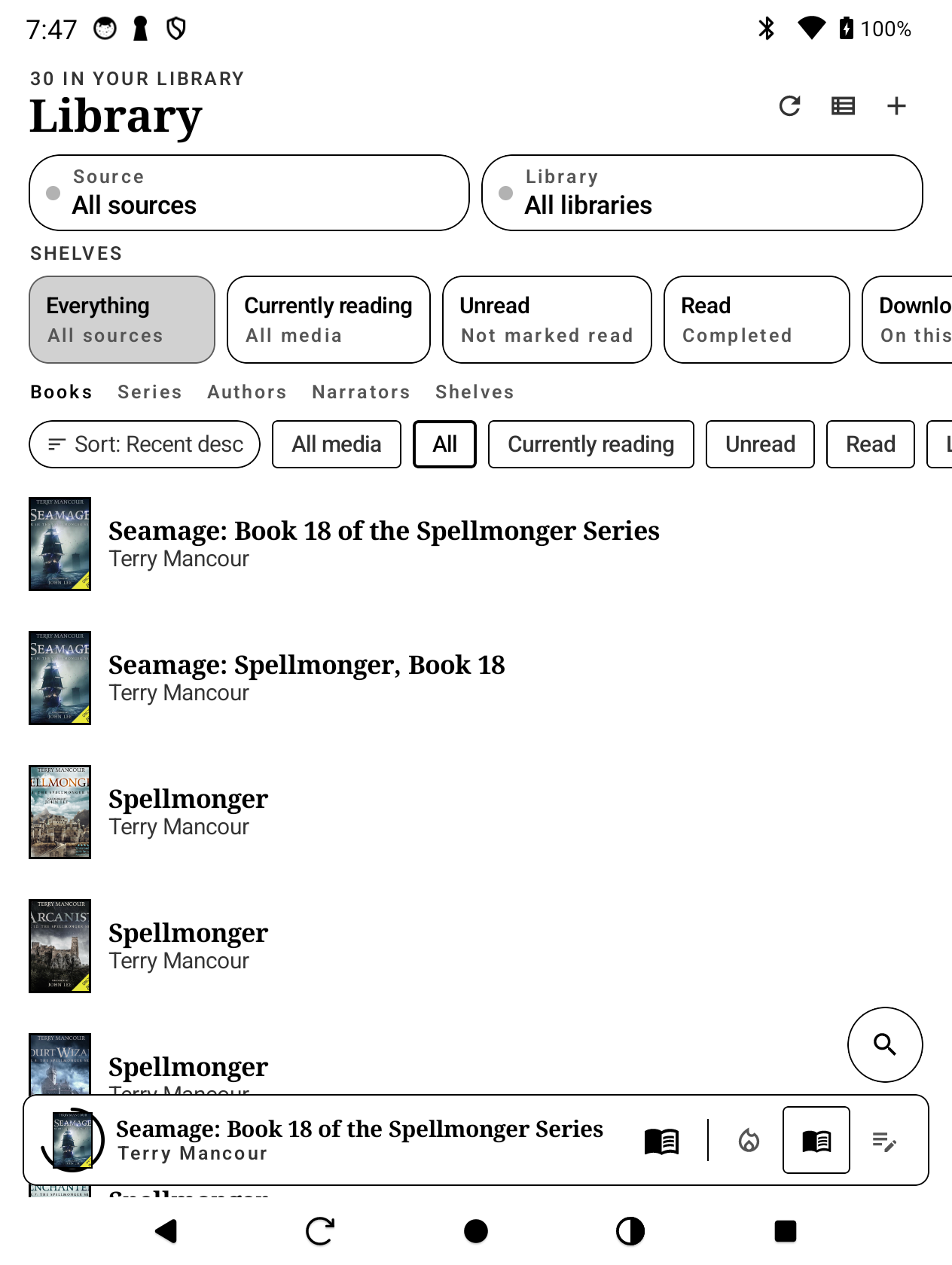
E-ink library

Library, on paper

Big tap targets, clear type, the same library structure as the phone version.

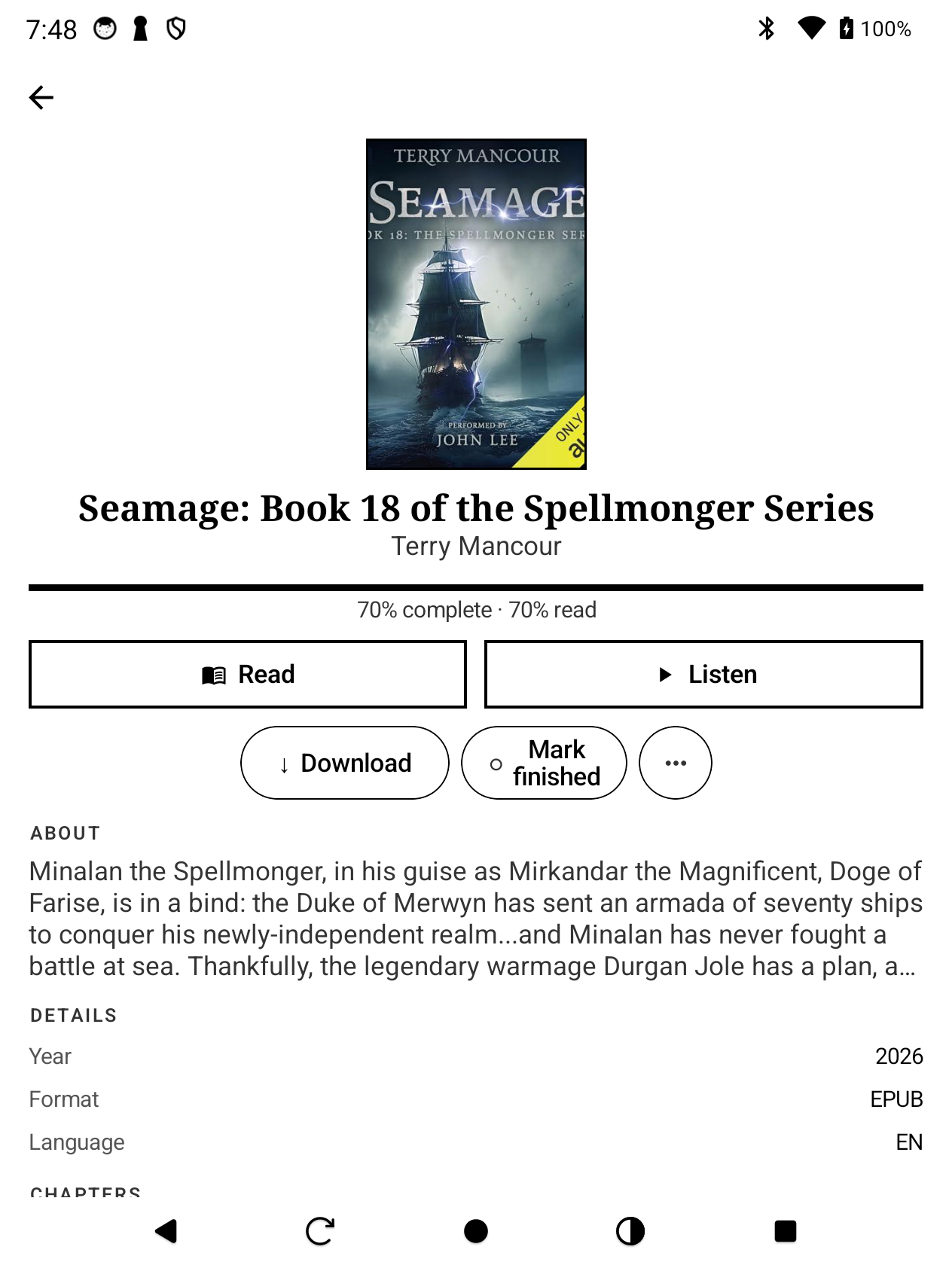
E-ink book detail

Book detail

Read, Track, Offline. The same controls, sized for a slower screen and bigger fingers.

E-ink stats

Reading stats

Night Reader streaks, hours read, achievements. All readable in pure black-and-white.

E-ink settings

Settings

Sources, library, playback, the lot. The same settings screen, rendered for e-ink.