iOS TestFlight open · Android testing

Enve RomM Player

A private retro game player for iOS and Android. Point it at your own RomM server or add game files straight from your device, then play on mature open-source cores. You bring the games; Enve just runs them.

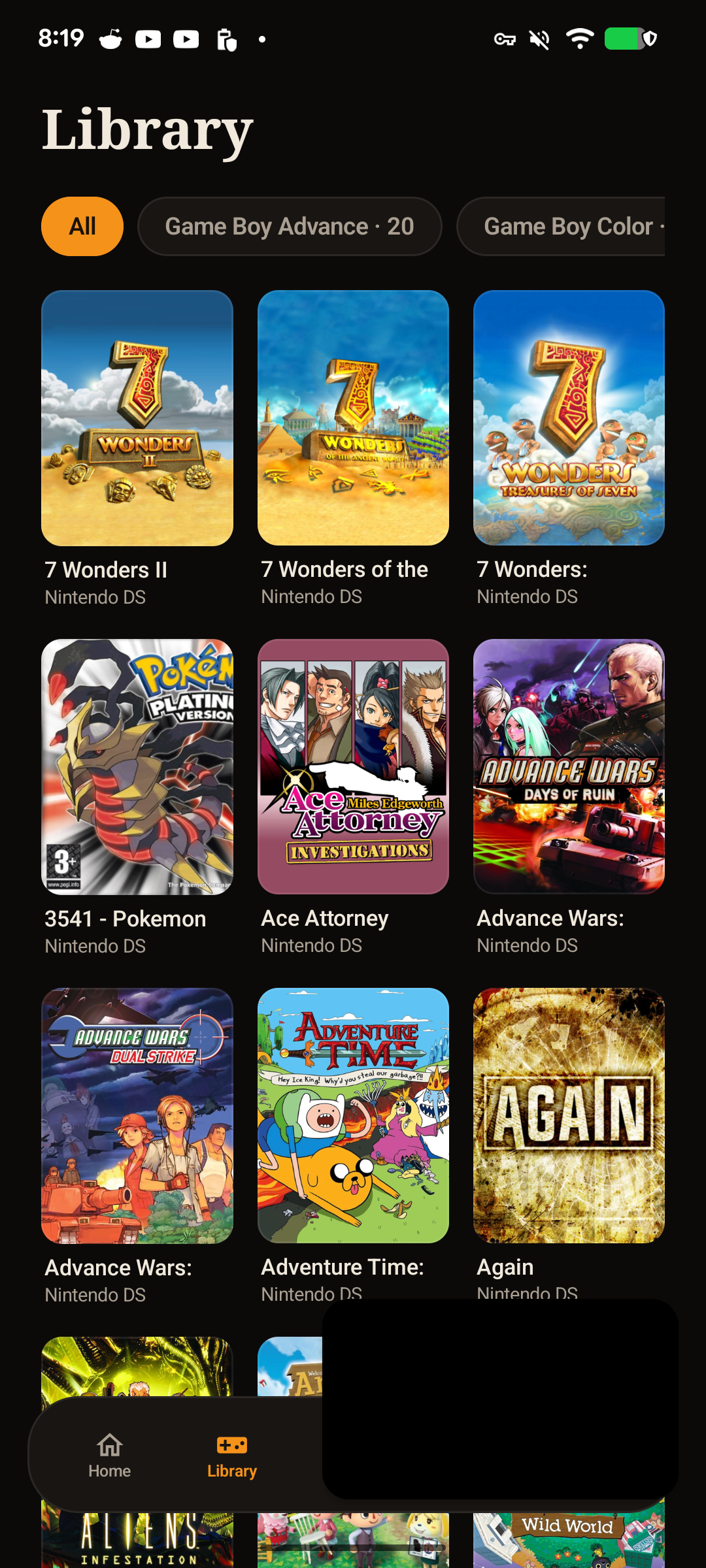
Android RomM game library
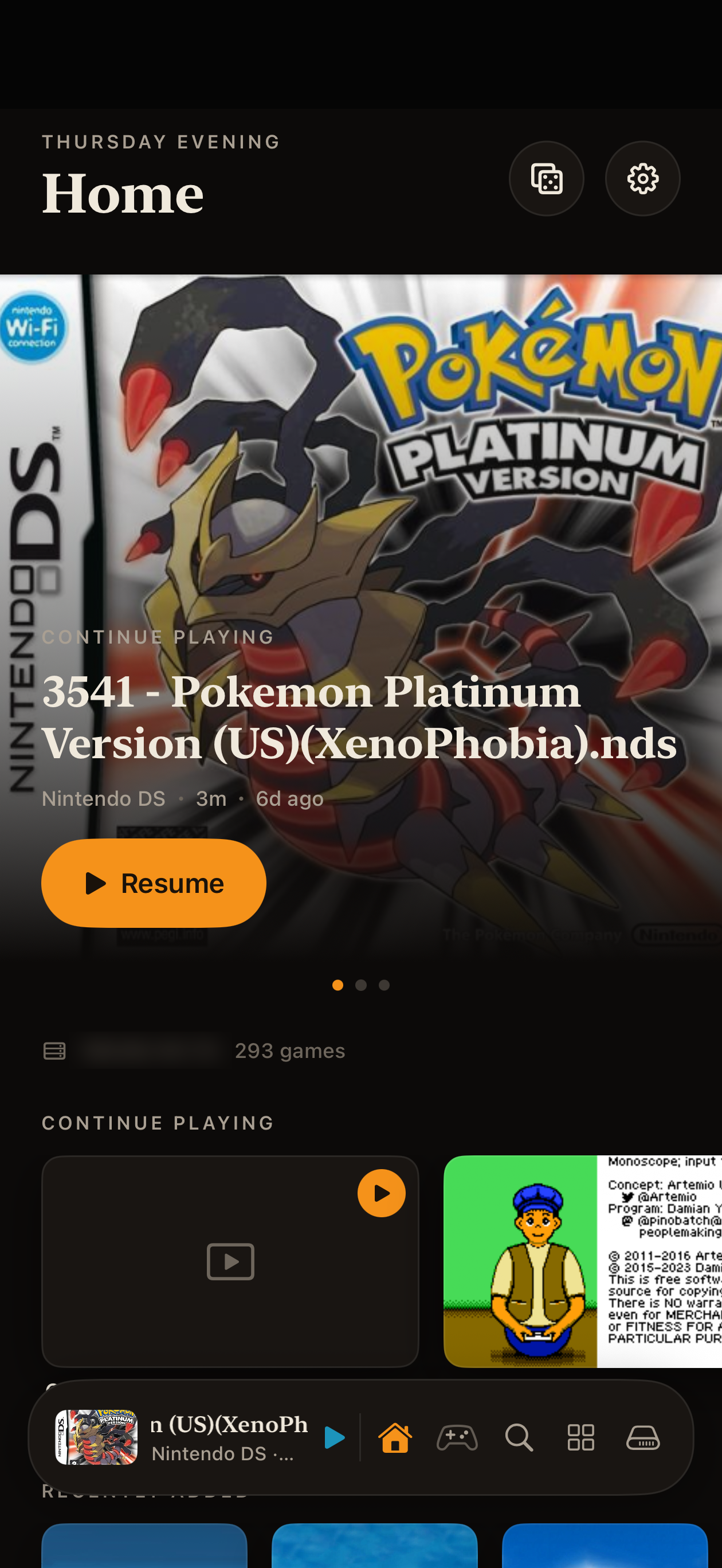
iPhone RomM Home with Continue Playing and the server address blurred
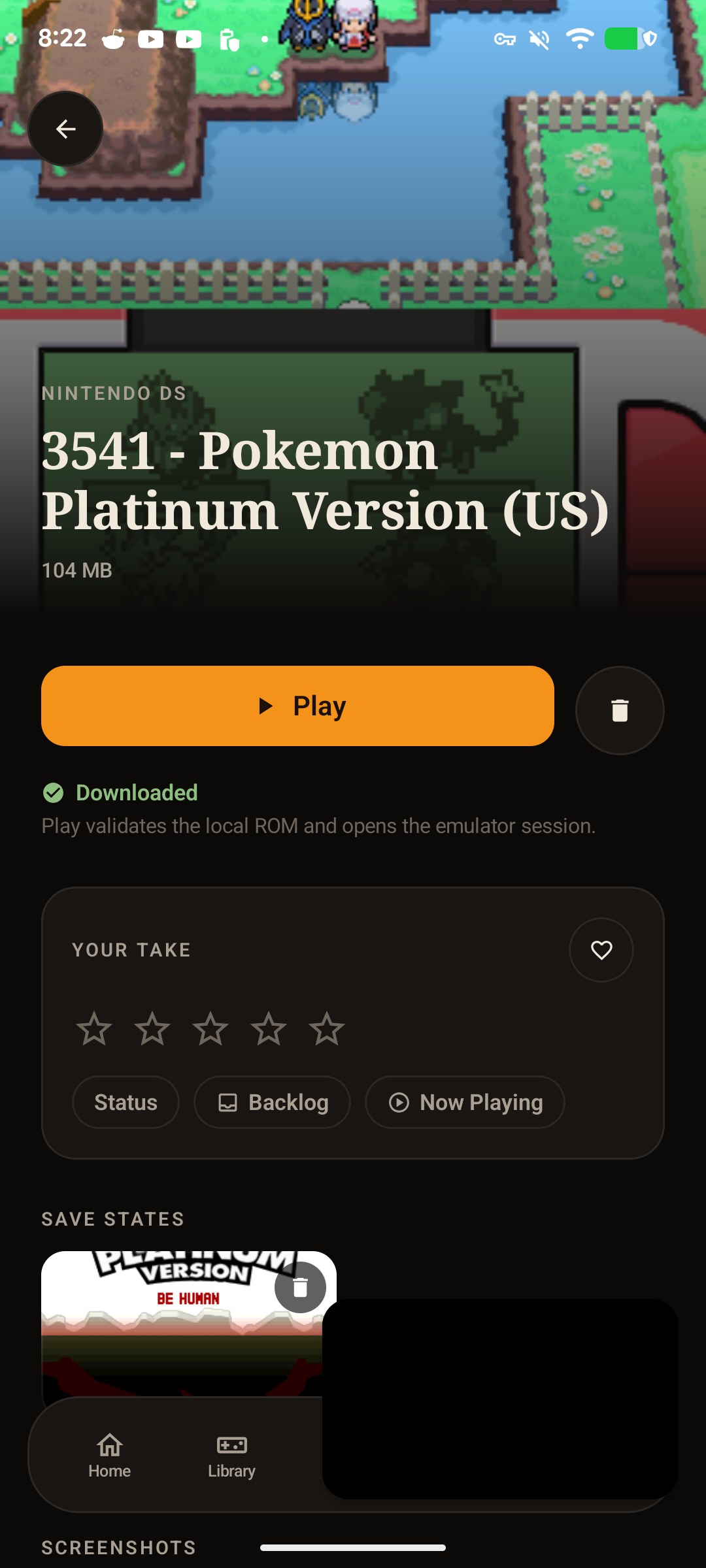
Android downloaded game detail
Game Boy Game Boy Color Game Boy Advance NES SNES Genesis / Mega Drive Nintendo 64 Nintendo DS Nintendo 3DS
Join the iOS TestFlight Supported systems
iOS TestFlight is open

The iOS build is now available through public TestFlight. Android remains in active testing while libraries, downloads, save states, and emulation continue to mature.

Join RomM Player on TestFlight
Current builds

From server shelf to playable game.

Every capture below comes from a current build with a real RomM library or a game stored on the device.

Android RomM library grid

Library

Box art, platform filters, and the full connected collection in a native grid.

iPhone RomM Home showing a resumable game and Continue Playing row

Continue playing

Resume a recent title from the hero, then move through the rest of your current games without hunting through the full library.

Android RomM game detail with Play, download state, rating, and save states

Game detail and save states

Play a downloaded title, manage its local copy, add your own rating and status, and return to captured save states.

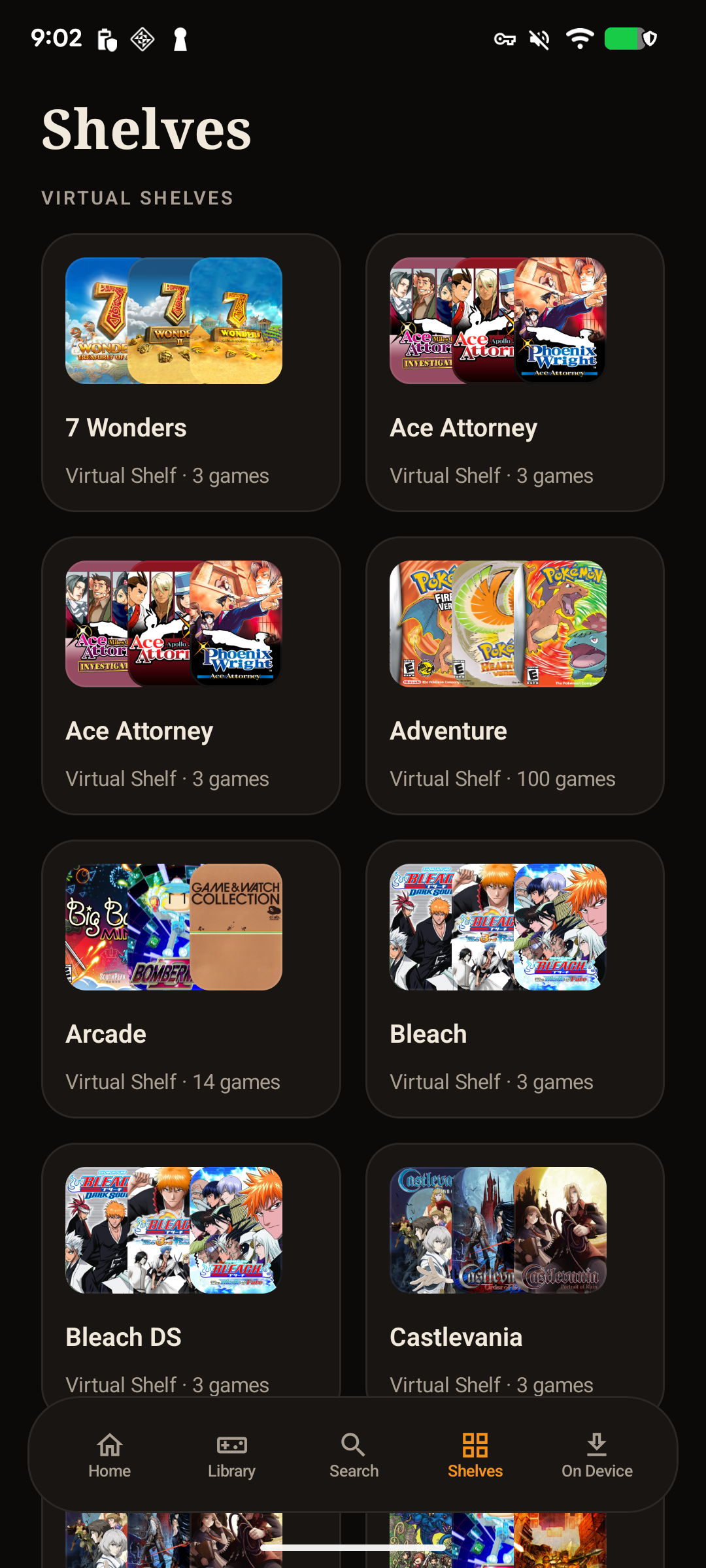
Android RomM virtual shelves

Virtual shelves

Curated shelves keep themed collections and favorites distinct from the full library.

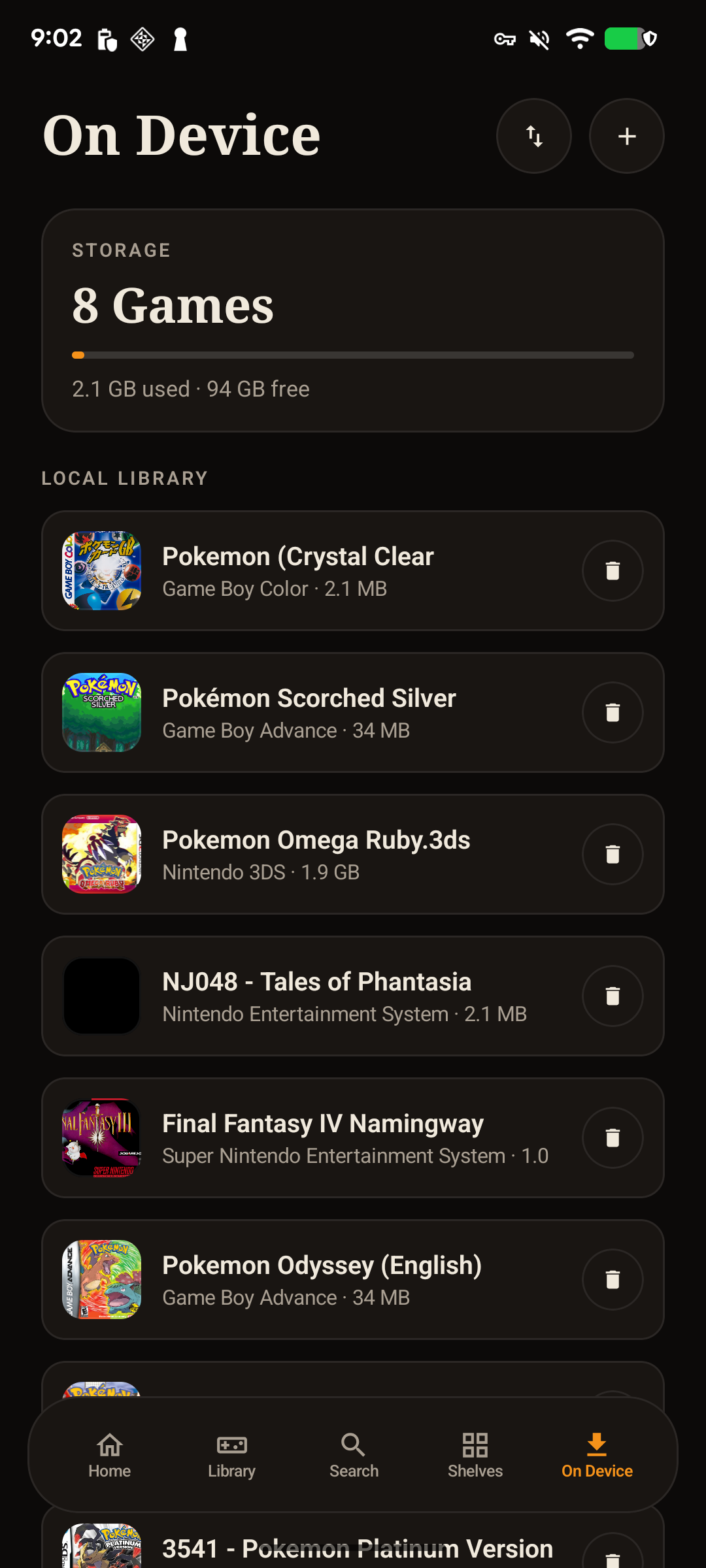
Android RomM On Device screen showing downloaded games and storage usage

On device

See downloaded games and their storage footprint at a glance, ready to play without reconnecting.

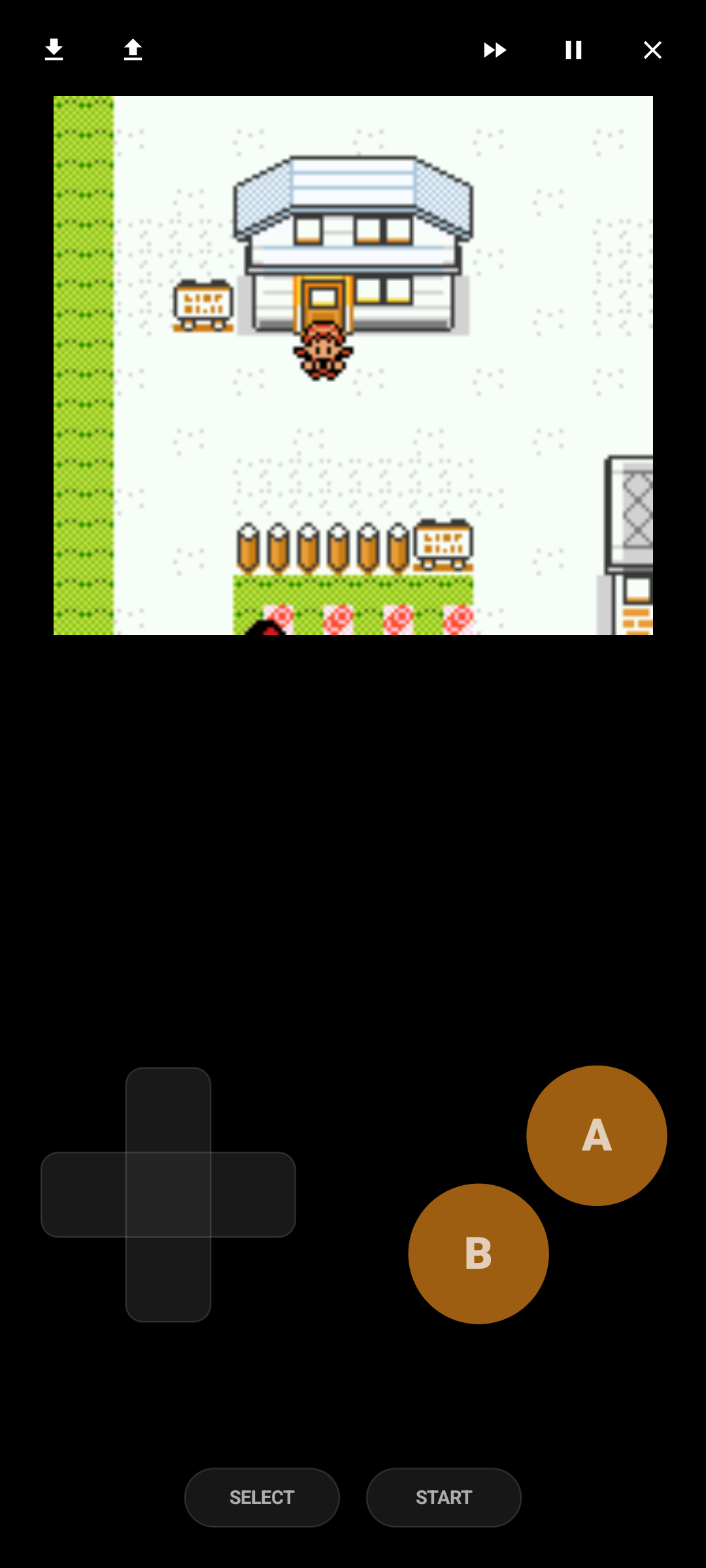
Android emulator running a Game Boy Color game with on-screen controls

Actual emulation

A real game session with touch controls, save and load actions, fast-forward, pause, and an exit control.

How it works

Your server, or your files.

Enve RomM Player is a client, not a content library. It connects to a server you already run, or plays straight from files on your device.

Connect your RomM server

Sign in to your own self-hosted RomM instance to browse your collection, pull in metadata and box art, and download titles to the device on demand.

Or add local game files

No server required. Supply game files directly from your device and play them offline, with the same interface and the same emulator cores.

Play, save, sync

Local saves and save states stay on device. Where your RomM server supports it, downloads and cloud saves sync directly between your device and your server.

Supported systems

Nine systems, on proven cores.

Each system runs on a mature open-source emulator. A couple of the later consoles need system files you supply yourself.

SameBoy

Game Boy

Accurate original Game Boy emulation.

SameBoy

Game Boy Color

The same core, with full color-palette support.

mGBA

Game Boy Advance

Plays without a BIOS; a real GBA BIOS is optional.

Nestopia UE

NES

A long-standing, accuracy-focused NES core.

ares

SNES

A multi-system core known for its accuracy.

ares

Genesis / Mega Drive

Sega 16-bit titles, handled by the same core.

Mupen64Plus-Next

Nintendo 64

N64 titles on a well-established core.

melonDS DS

Nintendo DS

Dual-screen DS games. System files required

Azahar

Nintendo 3DS

3DS library support. System files required

Bring your own content

Enve doesn't ship the games.

Enve does not include games, ROMs, firmware, BIOS files, encryption keys, or links to obtain them. You supply content you are legally entitled to use, and some systems require user-supplied system files to run. Enve RomM Player is a player for content you already own or host yourself.

Enve is an independent project and is not affiliated with the RomM project or with any console manufacturer.

Emulator stack

Built on open-source cores.

Enve wraps established emulators instead of reinventing them. The credit for accurate emulation belongs to these projects.

SameBoy mGBA Nestopia UE ares Mupen64Plus-Next melonDS DS Azahar
What you get

The same Enve, for games.

Saves and save states

Local in-game saves and save states, kept on device. Pick up exactly where you stopped.

RomM downloads and cloud saves

Pull titles from your RomM server on demand, and sync cloud saves directly with your server where the setup supports it.

Controllers and touch

Play with a connected game controller or on-screen touch controls. Control and app preferences stay on the device.

The Enve look

OLED black, warm orange accent, and the same theme system as the rest of the family, on both iOS and Android.

Private by default

No analytics, no advertising, no tracking, and no Enve account. Nothing routes through a developer-operated data service.

Open source

The app is planned to be published under GPL-3.0-or-later with the public release.

Support

Questions or feedback?

Enve RomM Player follows the same privacy posture as the rest of Enve: your data stays on your device or travels directly between your device and the server you configure. Nothing routes through a developer-operated service.

Source code will be published with the public release. Free, always.